Qlik and Power BI in one report
A board pack can pull a chart from Qlik, a table from Power BI and a figure from Snowflake - assembled into one document.
See how it works

Every morning, to everyone, without manual intervention.
Mail & Deploy creates, schedules, and distributes reports from Qlik Cloud, Qlik Sense®, and QlikView® - as well as Power BI, Snowflake, BigQuery, SQL Server and Oracle, with Databricks and other sources via ODBC - all on one platform. On-premise, SaaS, or hybrid.

Reports from the systems you already run






Built for Qlik Cloud, Qlik Sense and QlikView - and open to Power BI, Snowflake and SQL when a report needs more than one source.
A board pack can pull a chart from Qlik, a table from Power BI and a figure from Snowflake - assembled into one document.
See how it worksReports are built in Excel, Word, PowerPoint or HTML. Formulas, branding and required layouts survive delivery.
See report examplesBurst on any field - region, cost centre, account manager. One template, one execution, hundreds of individual documents. Recipients don't need a Qlik licence - only access to the channel.
How bursting worksThe Hub lets business users subscribe, filter and download without raising a ticket.
See the HubRun it inside your own network where the data has to stay, or let us host it. QlikView connections require on-premise.
Deployment optionsThree jobs it takes off your plate.
Design the layout in Excel, Word, PowerPoint or HTML. Every run after that is identical - formulas intact, branding intact, in the recipient's language.
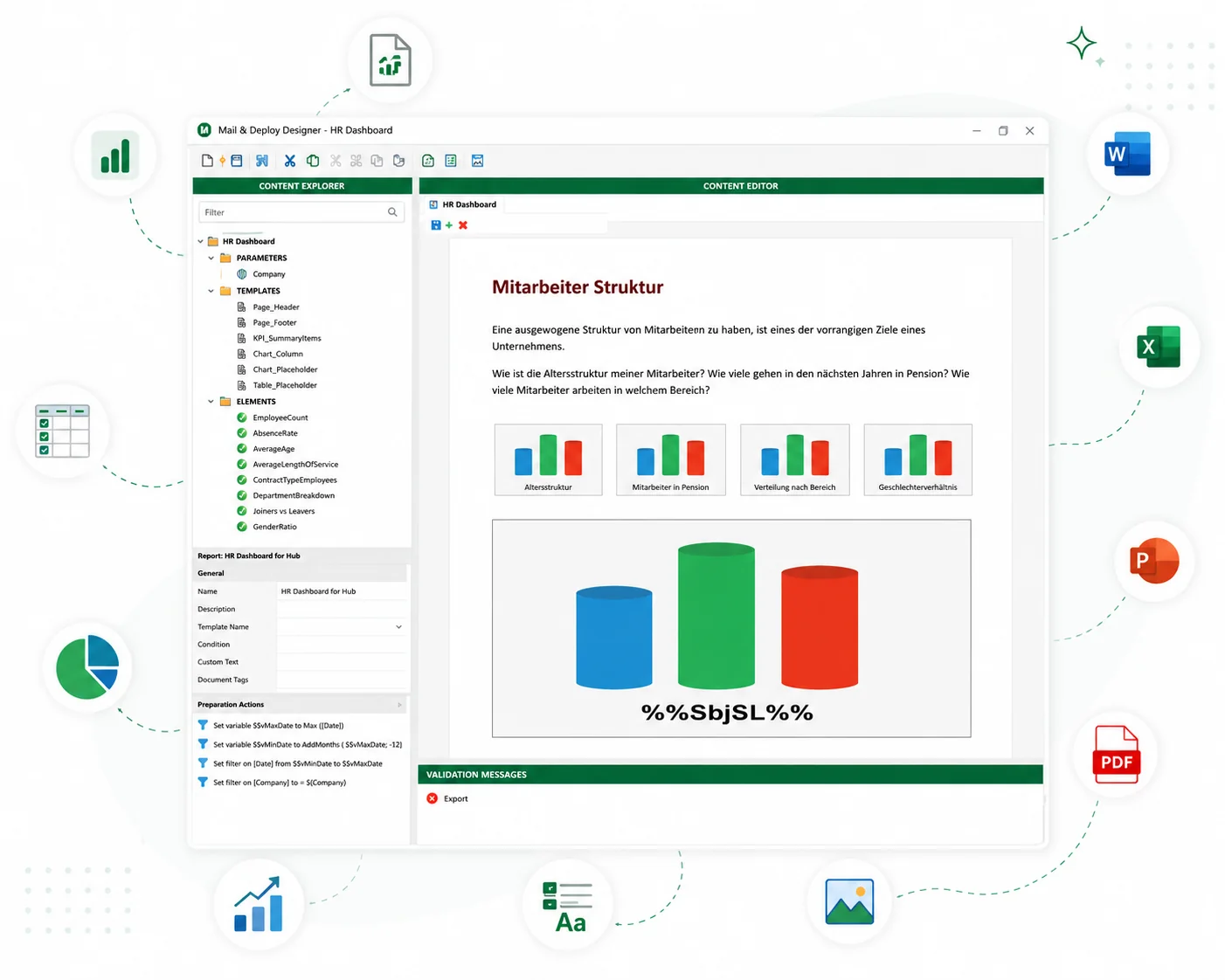
Business users subscribe, filter and download from the Hub, or request a report from inside Qlik Sense. IT keeps the templates, the permissions and the execution log.
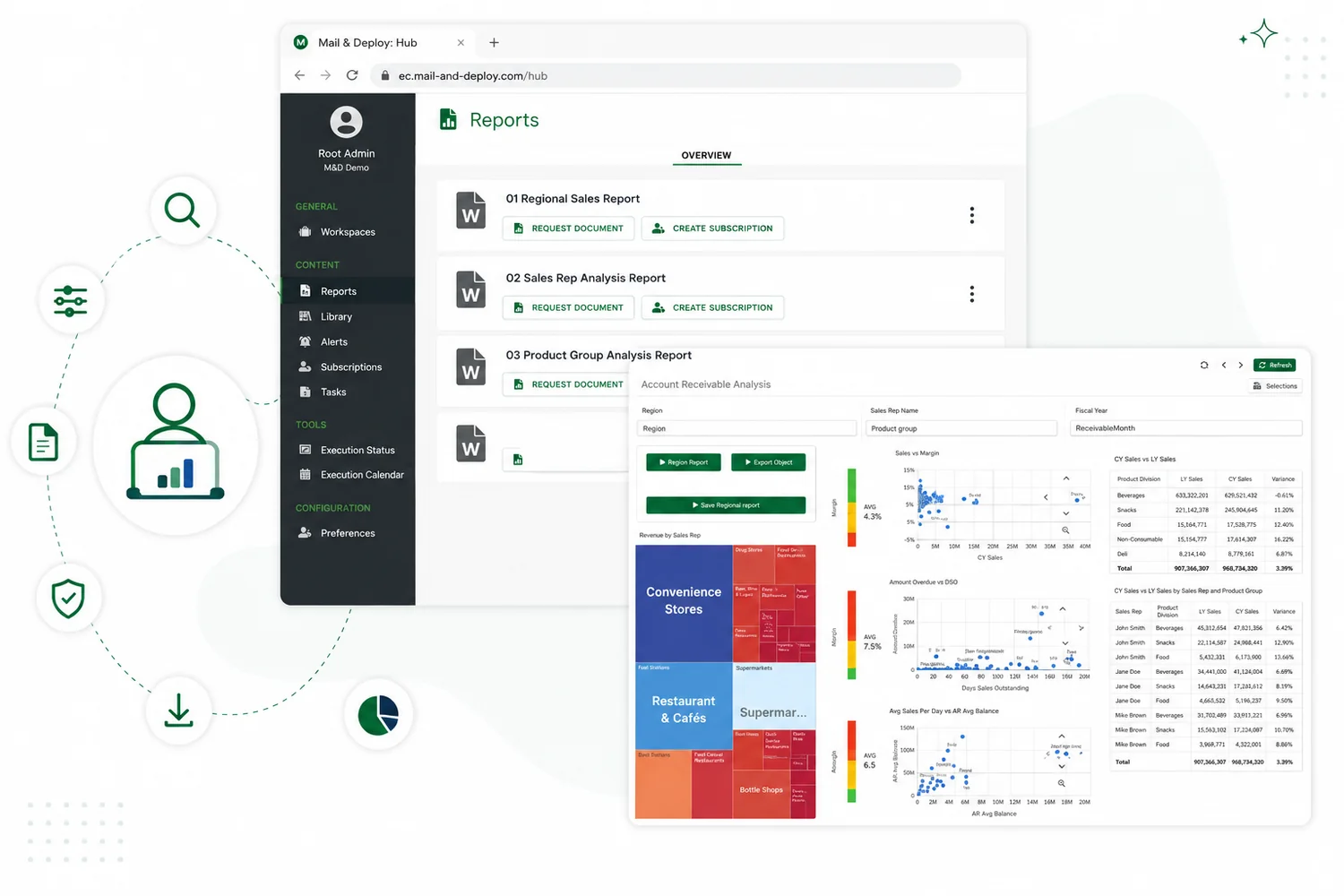
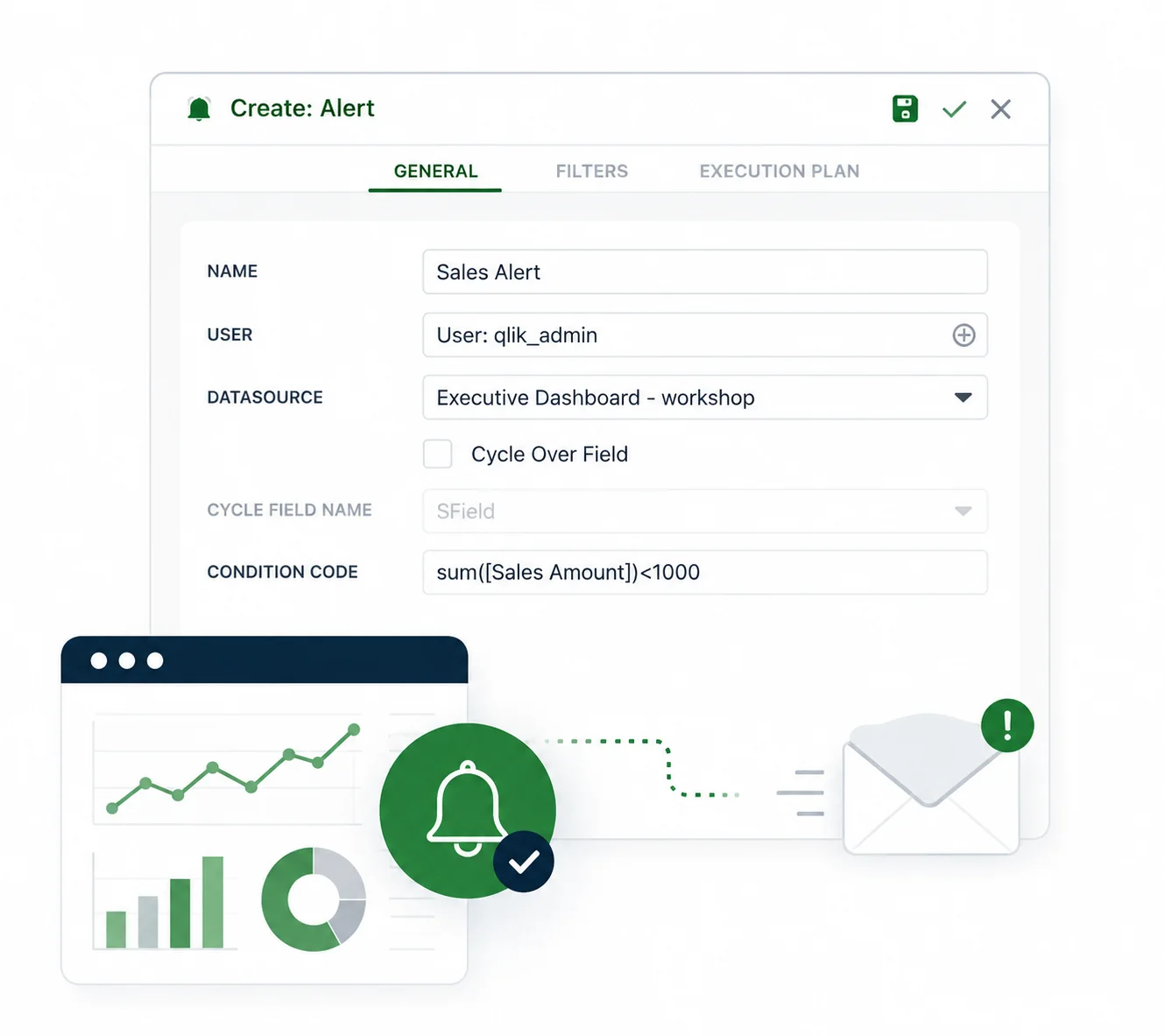
Code inserted into the Qlik reload script starts the report once the data is loaded. The right person gets the number - not a link to a dashboard.
A template is split on a field such as region. Each value produces its own filtered document for its own recipient.
Report North: Sales lead North
Everything you need for enterprise reporting automation.
Data. Raw data from multiple systems and platforms.
Raw data from multiple systems and platforms.
Connect and unify your data from any source.
Transform data into meaningful insights you can act on.
Automate report creation, scheduling and delivery.
Deliver relevant, branded reports to the right people.
Distribute reports securely via email, portal or cloud.
On-premise, SaaS or hybrid - the same product either way. QlikView connections require on-premise; Qlik Cloud and Qlik Sense work in both.
On-premise. Runs inside your own network. The data never leaves your infrastructure.
500,000 people receive a Mail & Deploy report. Most never see the software.
Mail & Deploy is our key solution for delivering timely, accurate, and actionable analytics to regional managers and B2B partners.
 Head of BI, Technodom
Mail & Deploy made the transition from Qlik NPrinting to cloud-based automation seamless. It's intuitive, efficient, and scalable.
 Teamlead Data & Services, Berlin Recycling
Mail & Deploy ensures that the right information reaches the right people at the right time - reliable, automated reporting with a high degree of flexibility.
 Head of Process and Project Management / IT, Adolf ROTH GmbH & Co. KG
For four years Mail & Deploy has met our most advanced reporting requirements - it is the backbone of fast, automated reporting across trading and supply chain operations.
 Head of Data Engineering, Ceras Analytics
Within an hour, we managed to replicate our existing RPA as a POC within Mail & Deploy's environment. It was quite easy to just move across.
 Head of Business Planning, Data & Insight, Thomas Miller
Mail & Deploy extends Qlik Cloud's capabilities, enabling high-quality reports and the level of customization World2Meet required.
 Technical Lead BI/Qlik, World2Meet





















Thirty minutes, your data, no slides.
Each additional data source is licensed separately.
Side-by-side comparisons against Qlik® NPrinting, the native Reporting Service and PBRS - including where they are the better answer.
Build your reporting skills with guided, hands-on training. Work through connecting data sources, creating reports and setting up distribution with a Mail & Deploy consultant.
Workshops cover both client-managed and SaaS versions of Mail & Deploy. Choose the session format that fits your team.