


Deliver reports individually
Schedule it, or chain it with other tasks.
Choose an output format
PDF. Paginated and ready to send or to print.
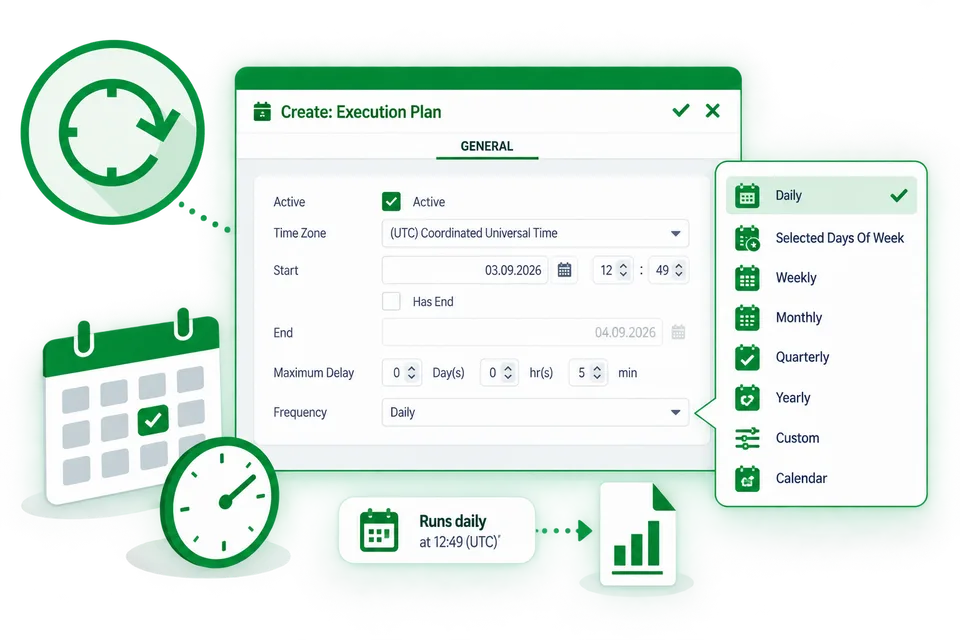
Report scheduling
Execution plans define the time frame, the frequency - daily, weekly, monthly - and the time of day a report is delivered. Execution plans define when a task runs, and the task itself groups the actions that create the documents and distribute them.
- Daily, weekly or monthly, at a fixed time of day
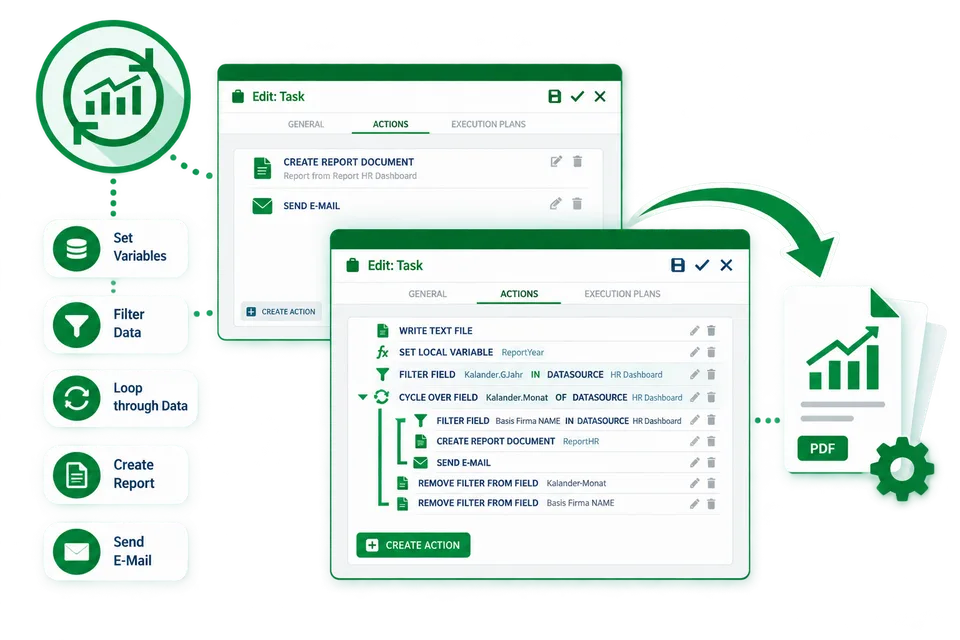
Report automations
Chain actions - reload the app, generate the report, deliver it, notify on failure - into one automation. Run it on a schedule, on request, or from another system via the API. A cycle iterates over a list of values - regions, customers, sales representatives - and executes the contained actions once per value with the parameter set accordingly.
- Triggered by schedule, by request or via the API
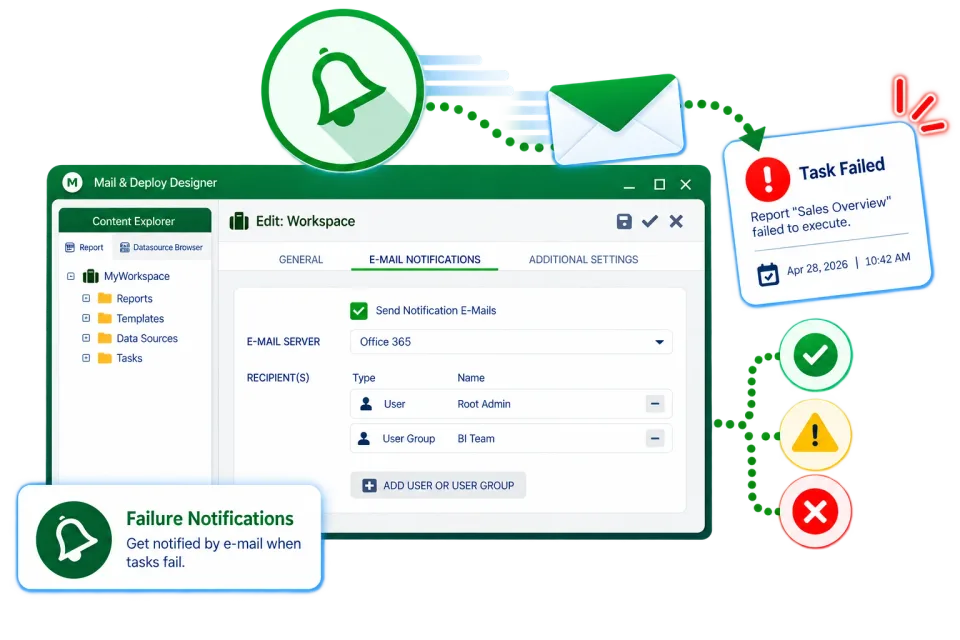
Failure notifications
Send e-mail notifications to selected users or groups when an execution fails. Notifications are sent per workspace, so the responsible team knows what happened without anyone watching the console.
- E-mail on failed executions, per workspace
Management report distribution
Schedule, generate and deliver reports per recipient through email, file server, FTP, Microsoft SharePoint and Teams, OneDrive, Dropbox, AWS S3, Google Drive, or the Mail & Deploy Hub. Distribution is an action inside the task, so e-mail, file share and other channels can be combined for the same generated document.
- E-mail, file server, FTP, SharePoint, Teams, OneDrive, Dropbox, S3, Google Drive, Hub
Report North: Sales lead North
Book a Mail & Deploy workshop
Build your reporting skills with guided, hands-on training. Work through connecting data sources, creating reports and setting up distribution with a Mail & Deploy consultant.
Workshops cover both client-managed and SaaS versions of Mail & Deploy. Choose the session format that fits your team.